How do I make a simple invoice for free
Most small businesses or freelancers don’t have the money to pay for a full-fledged invoice generator or accounting software. A simple invoice template will do most of the time.
1 min read
Lesley Kampinda
Most small businesses or freelancers don’t have the money to pay for a full-fledged invoice generator or accounting software. A simple invoice template will do most of the time.
Here is how you create a simple invoice for free
There are two options for creating a simple invoice for free.
Option 1: Use Qyri
There are two ways to create an invoice for free with Qyri.
1. Use a Free Invoice Generator
Go to https://qyriwise.com/free-invoice
Add your business name or your name
add your customer's name
add products by clicking on the add button
Add a description, price, and quantity
And then download the invoice at the bottom
2. Signup with Qyri
By signing up with Qyri, you will be able to generate an invoice in under 1 minute.
Start your 7-day free trial and cancel anytime.
Qyri lets you save a lot of time by allowing you to create invoices and quotations on the fly. Qyri will autofill most of your company information, your customer's information, and your products and services.
It will keep track of your invoices and payments. And will allow you to schedule reminders and invoices.
To start creating an invoice with Qyri, follow the fooling steps.
Go to https://app.qyriwise.com/sign-up
1. Add your details
Your name, email, and create your password
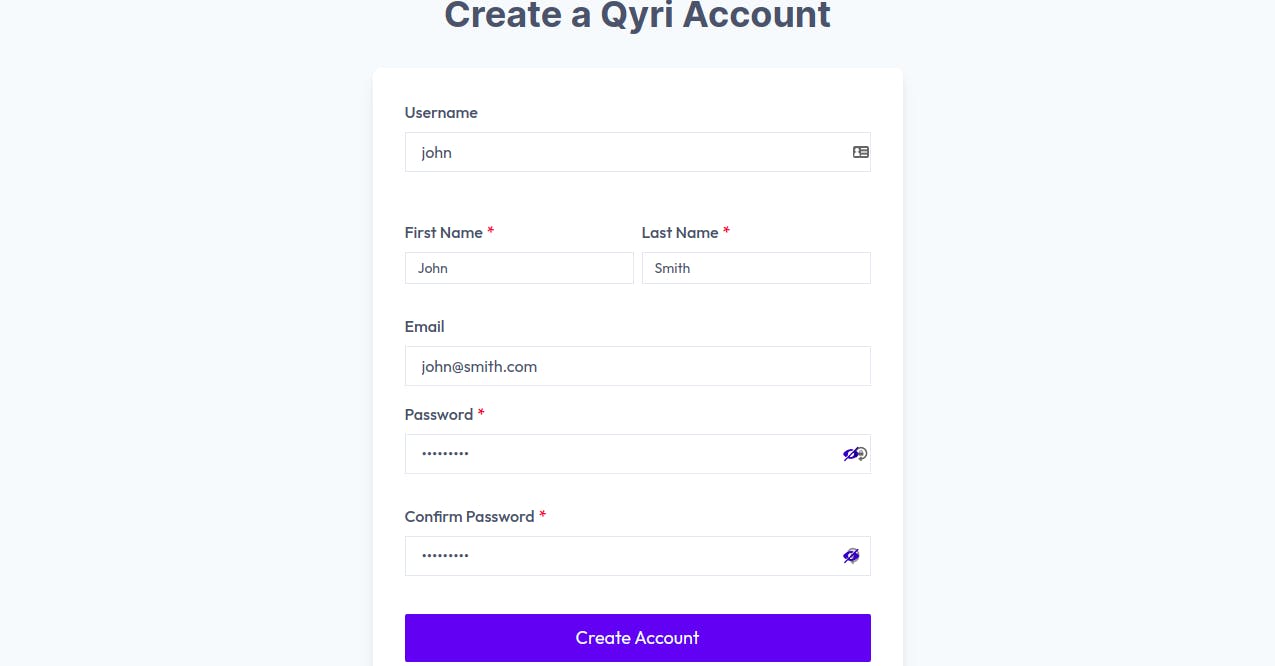
2. Add your business details
Add your business information (on a business name, you can also add your name if not yet registered)
add your business address and choose your currency
once done, you can skip the following step by clicking on submit. This will create your account, you will be presented with the following screen.
This is your simplified dashboard.
3. Create a creation invoice
Click on Create new invoice button, this will take you to the new invoice screen.
Your business details will be autofilled. You just have to add the following details.
- Click on add the client to your customer
- Add client details
- Click on add products
- Add description price and quantity
- save. Now the product is kept in the database for reuse. You can add details by going to products.
- Add tax
- create tax
- Click on Create
You will be presented with the summary of your invoice
Here you can choose to download the invoice or send it directly to your clients.
Done.
Now next time you want to create an invoice you can easily use the saved products, tax, and customer information. This will help you save time and get paid fast.
Option 2
Use designer tools such as canvas or Adobe creative.
Select the template and edit it with your information, after you are done download and send it to your client.
Conclusion
If you would like to not repeat the process, sign up for Qyri in creating an invoice in less than 2 steps after signup. You get the fooling features for free
- Invoice/Estimate generator
- Sending invoices to clients
- Tracking payments
- Scheduled invoices
- Scheduled reminders
- and Recurring invoices
Related Content

How to Build a Sales Pipeline for a Small Business
A sales pipeline turns a messy list of prospects into a repeatable process. Here's how to design one that fits a small business — stage by stage — without over-complicating it.
Read Article

Lead Management for Small Businesses: A Practical Guide
Capturing leads is easy. Managing them so none fall through the cracks is where most small businesses struggle. This guide covers a simple, repeatable lead management process.
Read Article

CRM vs Spreadsheet: When Your Business Has Outgrown Excel
Spreadsheets are where every business starts tracking customers — and where many quietly start losing them. Here's how to tell when it's time to move from a spreadsheet to a CRM.
Read Article
Lesley Kampinda
Published on